Monitor light bars that fit curved monitors
Many light bars are built for flat screens and may not sit well on a strongly curved monitor. These picks each list a curve rating, a curved-screen thickness range or a supported screen size, so you can check the fit before you buy.
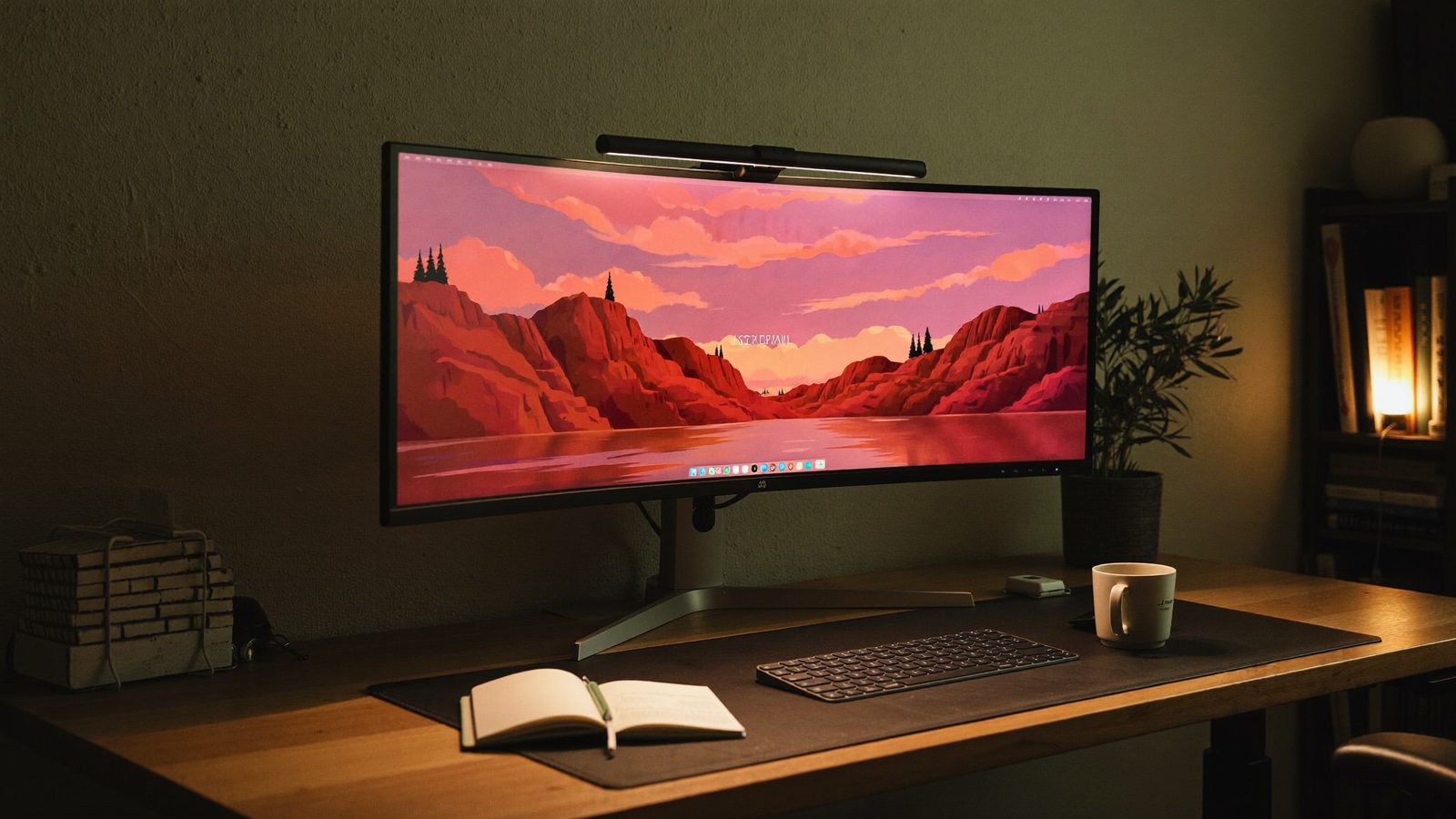
How we picked: these are researched picks, not hands-on tests. We compare the specs that matter for this question, using the makers' own pages and other trustworthy sources, and link every source below. We never show prices, because they change daily; check the current price on Amazon. As an Amazon Associate I earn from qualifying purchases.
Examples this guide covers
- Quntis Curved Monitor Light Bar IM 66 cm (26 inch) Black: Rated for 32–49 inch flat and 800R–3000R curved monitors
- Xiaomi Mi Computer Monitor Light Bar: Xiaomi says it suits curved screens 1–32 mm thick
- Quntis Monitor Light Bar Focus 40 cm (LI-HY-0205-BK): Curved and flat monitors from 17 to 27 inches
At a glance
| Pick | Curve range | Monitor size | Length extended | Color rendering | Extra lighting |
|---|---|---|---|---|---|
| Quntis Curved Monitor Light Bar IM 66 cm (26 inch) Black Big curved ultrawides, including tight 800R curves | 800R–3000R | 32–49 inch | 25.74 in | 98Ra (full-spectrum) | RGB backlight, 15 modes |
| Xiaomi Mi Computer Monitor Light Bar Thin curved screens, with or without a bezel | — | — | — | Ra95 | — |
| Quntis Monitor Light Bar Focus 40 cm (LI-HY-0205-BK) Smaller curved monitors up to 27 inches | — | 43–69 cm (17–27 inch) | — | — | — |
How to choose
- Stated curve rating: Curve numbers like 1000R or 800R describe how tightly a screen bends; a lower number means a tighter curve. A bar with a stated curve range tells you plainly whether it suits your screen.
- Top-edge thickness range: The clamp has to grip the top edge of your monitor. Check the bar's listed thickness range against your monitor's spec page or a quick measurement.
- Bar length and screen size: A long bar spreads light across a wide ultrawide. A shorter bar may only be listed for monitors up to 27 inches.
- Light quality and controls: Color rendering (CRI or Ra), adjustable color temperature and an easy remote or touch control make the light more comfortable to live with every day.
The picks
1. Quntis Curved Monitor Light Bar IM 66 cm (26 inch) Black
Best for: Big curved ultrawides, including tight 800R curves
Quntis lists it for 32–49 inch flat monitors and 800R–3000R curved monitors, and says it is designed for large ultrawide curved screens. It has a foldable dual-head design that extends to 25.74 inches, plus an RGB backlight with 15 modes and a wireless remote.
- Curve range
- 800R–3000R
- Monitor size
- 32–49 inch
- Length extended
- 25.74 in
- Color rendering
- 98Ra (full-spectrum)
- Extra lighting
- RGB backlight, 15 modes
- Control
- Wireless remote
- Works with
- 32–49 inch curved monitors (800R–3000R), 32–49 inch flat monitors
2. Xiaomi Mi Computer Monitor Light Bar
Best for: Thin curved screens, with or without a bezel
Xiaomi says its 40° adjustable axis makes it suitable for curved screens 1–32 mm thick, with or without a bezel. On monitors under 10 mm thick it installs stably, but you need to hold it when you change the angle. It has a magnetic head that rotates up to 25° to cut glare and a 2.4-GHz wireless remote.
- Curved monitor thickness
- 1–32 mm
- Adjustable axis
- 40°
- Thin monitors
- Under 10 mm: stable, but needs manual support when angling
- Color rendering
- Ra95
- Power
- USB Type-C
- Works with
- Curved monitors 1–32 mm thick
3. Quntis Monitor Light Bar Focus 40 cm (LI-HY-0205-BK)
Best for: Smaller curved monitors up to 27 inches
Quntis lists it for curved and flat monitors from 17 to 27 inches, with a 0.3–8 cm thickness range, so it is not meant for big ultrawides. The manual lists Ra 98 color rendering, an adjustable 3000–6500 K color temperature and 900 lux center illuminance.
- Monitor type
- Curved and flat
- Monitor size
- 43–69 cm (17–27 inch)
- Monitor thickness
- 0.3–8 cm (0.12–3.15 in)
- Center illuminance
- 900 lux
- CRI / color temperature
- Ra 98 / 3000 K–6500 K
- Power
- 5 W (5 V / 1 A)
- Works with
- 17–27 inch curved monitors, 17–27 inch flat monitors
Tips
- Find your monitor's curve rating (for example 1000R or 800R) on its maker's spec page and match it to the light bar's stated curve range.
- Measure the top edge of your monitor where the clamp will sit and compare it with the bar's thickness range.
- On a 34- to 49-inch ultrawide, choose a longer bar so the light reaches across your whole desk.
- If your monitor is very thin, check whether the maker says the bar needs support when you adjust its angle.
- Check how the bar is powered and make sure you have a free USB port or adapter nearby.
Questions
- Will a regular light bar work on a curved monitor?
- Sometimes, but not always. Bars made for flat screens may not sit well on a strong curve. Look for a bar with a stated curve range, or one whose maker lists curved-screen compatibility and a thickness range.
- What does 1000R or 800R mean?
- It describes how tightly the screen curves. A lower number is a tighter curve, so an 800R screen bends more than a 1000R one.
- Which pick handles the tightest curve?
- Quntis rates its Curved Monitor Light Bar IM 66 cm for 800R to 3000R curved monitors from 32 to 49 inches, the only stated curve range among these picks.
Sources
- https://www.quntis.com/products/quntis-foldable-dual-head-led-monitor-light-bar-wide-angle-screen-lamp-for-curved-monitors-with-rgb-backlight-remote-control-eye-care-design
- https://www.mi.com/global/product/mi-computer-monitor-light-bar/
- https://www.quntis.com/blogs/support-manuals/user-manual-quntis-monitor-light-bar-focus-40-cm-15-7-inch-black